


















How to Open a Wise Account in Uganda 2026 – Step-by-Step Guide
Learn how to open and verify a Wise account in Uganda in 2026. Step-by-step guide with required documents, verification tips, and how to receive USD/GBP/EUR payments fast and cheap as a freelancer or remote worker.

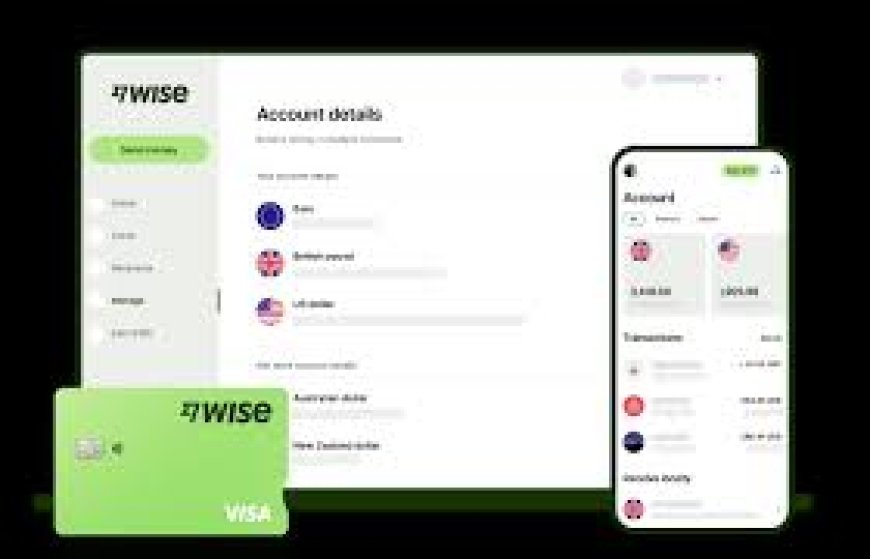
Opening a Wise account in Uganda in 2026 is straightforward and one of the best moves you can make if you're earning online, freelancing, working remotely, or simply receiving funds from family or clients abroad. Wise (formerly TransferWise) gives Ugandans access to multi-currency features that local banks often can't match think local-style account details in USD, GBP, EUR, and more, all with low fees and real exchange rates.
Many Ugandans struggle with high bank charges, slow international wires, or limited options like PayPal withdrawals. Wise solves most of those pain points, making it popular among freelancers on Upwork and Fiverr, remote employees, bloggers, affiliate marketers, and anyone handling foreign currency payments. In this practical, up-to-date 2026 guide, we'll walk you through exactly how to open and verify your Wise account from Uganda, what you'll need, how verification works, and tips to start receiving and withdrawing money smoothly.
Ready to get started? Open your Wise account here: https://wise.prf.hn/click/camref:1011l5zIbq
What Makes Wise So Useful for People in Uganda?
Wise is a regulated international money platform that lets you hold, send, receive, and convert money across 50+ currencies with transparent costs. Unlike traditional banks, Wise uses the real mid-market exchange rate (the one you see on Google) and charges small, upfront fees instead of hidden markups.
Key reasons Ugandans love Wise in 2026:
- Get dedicated account details for major currencies (e.g., US routing/account numbers for USD, sort code/account for GBP, IBAN for EUR) so clients pay you like a local with no awkward international wire instructions.
- Receive payments quickly often same-day or within 1–2 business days.
- Withdraw to your local Ugandan bank account (Equity, Stanbic, Centenary, etc.) or explore compatible options.
- No monthly fees for the basic account just pay per transfer when you move money.
- Strong security with two-factor authentication and regulation in multiple countries.
It's especially powerful if you're paid in foreign currencies but live and spend in UGX.
Who Benefits Most from a Wise Account in Uganda?
This guide is tailored for:
- Freelancers and gig workers (Upwork, Fiverr, Freelancer.com)
- Remote employees with international employers
- Content creators, YouTubers, and affiliate marketers earning in USD or EUR
- Online business owners selling globally
- Anyone regularly receiving remittances or payments from abroad
If high fees or delays are eating into your income, Wise can help you keep more and access funds faster.What Do You Need to Open a Wise Account from Uganda?
Wise keeps requirements simple and accessible:
- A valid email address (personal or work Gmail works fine)
- A smartphone or computer with a stable internet connection
- Government-issued photo ID: Ugandan national ID, passport, or (in some cases) driver's license
- Possibly a selfie for live verification
- Your current residential address in Uganda
No minimum deposit is usually required to open the account, though some features (like certain receiving options) activate after verification.
Step-by-Step Guide: How to Open and Verify Your Wise Account in Uganda (2026)
Follow these steps carefully most people complete signup in under 10 minutes, with verification taking hours to a couple of days.
Step 1: Go to Wise and Sign Up
Head to the official Wise site or download the Wise app (available on Google Play or App Store). Click “Register” or “Get started.” Enter your email and create a strong password, or sign up instantly with Google, Facebook, or Apple for faster access. Select Uganda as your country of residence and this is important for correct setup and compliance. Start your registration here: https://wise.prf.hn/click/camref:1011l5zIbq
Step 2: Choose Your Account Type
Wise offers:
- Personal account - Ideal for individuals, freelancers, and most users.
- Business account - For registered companies or sole proprietors with higher volumes.
Choose Personal if you're just starting out or using it for freelance/remote work.Step
3: Provide Your Personal Information
Enter accurate details:
- Full name (exactly as it appears on your ID and no nicknames or abbreviations)
- Date of birth
- Phone number (Ugandan number works so add +256)
- Residential address in Uganda
Double-check everything matches your ID to prevent verification hiccups.
Step 4: Verify Your Identity (The Most Important Step)
Wise requires identity verification for security and regulatory reasons. You'll typically upload:
- A clear photo of your ID (national ID card or passport photo page both sides if needed)
- A live selfie or photo holding your ID (follow on-screen prompts)
Tips for smooth verification:
- Take photos in good, natural light ensure no shadows or glare.
- Ensure all text is sharp and fully visible (crop if necessary but don't edit).
- Use the mobile app for easier camera access.
Verification is usually automatic and fast, but manual review can take 1–2 business days. Wise may occasionally ask for proof of address (e.g., a recent utility bill, bank statement, or government letter showing your name and Ugandan address).
Step 5: Complete Any Additional Setup (If Prompted)
Some users add a small test deposit via debit card or bank transfer to activate full features it's optional in most cases. Enable two-factor authentication (2FA) right away for extra security.
Step 6: Unlock Your Multi-Currency Features
Once verified, go to your Wise dashboard or app:
- Add balances in currencies you expect to receive (USD, EUR, GBP are popular).
- Request and view your local account details for those currencies.
Now you can share USD details with American clients, GBP with UK payers, etc. they send money as a domestic transfer.
How to Start Receiving International Payments with Wise
After setup:
- In the app/web, go to “Balances” → select currency → “Get account details.”
- Copy and share the correct details with your client, employer, or platform (e.g., Upwork can pay directly to Wise USD details).
- Funds arrive quickly most are free or low-cost incoming.
- Hold in the foreign currency or convert to UGX at the real rate when ready.
Withdrawing Money from Wise to Uganda (Bank or Mobile Money Options)
Wise makes cashing out flexible:
Option 1: To Your Ugandan Bank Account
- Link your local bank (supports major banks like Stanbic, Equity, Absa, etc.).
- Convert to UGX if needed, then transfer—arrives in 1–2 days usually.
- Low fees (often just a small fixed amount + conversion if applicable).
Option 2: Mobile Money Integration
Wise doesn't always offer direct MTN MoMo or Airtel Money withdrawals for all users, but you can:
- Transfer to a linked Ugandan bank, then move to mobile money yourself.
- Use intermediaries or check if your Wise setup allows direct sends to supported mobile wallets in the region (availability varies so confirm in-app).
Many Ugandans withdraw to bank first for larger amounts to avoid extra steps.
Wise vs. Other Options in Uganda (Quick Comparison)
|
Feature |
Wise |
Traditional Bank Transfer |
PayPal |
|
Fees |
Low & transparent |
High (incoming + markup) |
Higher + restrictions |
|
Speed |
1–2 days (often faster) |
3–7 days |
Variable |
|
Exchange Rate |
Mid-market (real) |
Marked up 3–5% |
Not ideal |
|
Receiving Ease |
Local details in key currencies |
Complicated SWIFT |
Limited withdrawals |
|
Best For |
Freelancers/remote |
Large one-offs |
Sending only (mostly) |
Wise usually comes out on top for everyday international earnings.Common Issues Ugandans Face (and Quick Fixes)
- Verification taking too long → Re-upload clearer documents or contact Wise support via app chat.
- Name/address mismatch → Ensure details match your ID exactly.
- Limited features → Full multi-currency access unlocks after verification.
- Withdrawal questions → Check the app for current Uganda-specific options—banks are reliable.
Pro Tips for Getting the Most from Wise in Uganda
- Verify early—don't wait until you have a big payment incoming.
- Use the correct currency details to avoid unnecessary conversions/fees.
- Monitor the dashboard for live rates and transaction history.
- Enable notifications for incoming funds.
- Combine with local mobile money for everyday spending after withdrawing.
Frequently Asked Questions (2026 Update)
Is Wise fully available and supported in Uganda?
Yes, Ugandans can open personal accounts, verify, hold multiple currencies, receive payments, and withdraw to local banks.
How long to open and verify?
Signup: 5–10 minutes. Verification: a few hours to 1–2 days typically.
Can I receive USD, EUR, or GBP directly?
Absolutely, Wise provides local-style account details for these (and others) so you receive like someone in the US/UK/EU.
Is Wise better than PayPal for Ugandans?
For receiving international earnings and easy withdrawals, most say yes fewer restrictions and lower costs.
Any fees to open or maintain the account?
Opening and holding is free and no monthly charges.
Final Thoughts
Setting up a Wise account in Uganda opens doors to global earning without the usual headaches of high fees, slow transfers, or platform limitations. Whether you're freelancing, remote working, or receiving family support, Wise gives you control, speed, and savings. Don't let outdated banking hold you back thousands of Ugandans are already using it successfully.
Take the first step today and get your multi-currency setup running. Create your Wise account now: https://wise.prf.hn/click/camref:1011l5zIbq
What's Your Reaction?